
Ubuntu Linux Core 6.17 Post-Panic Info Dump

See the reddit post Issues after recent kernel update from 6.14 to 6.17 to understand why I panicked, at all.
Since giving them both over to Ubuntu, I update my Macs on a regular basis, generally loading Terminal first thing each morning and running sudo apt update, apt list --upgradable, sudo apt upgrade, and sudo snap refresh before getting on with the rest of my day. Part of the reason that I switched these aging machines from MacOS to Ubuntu was so that I could keep them up to date.
Apple made them, then made them obsolete.
Linux made them usable again.
I made them up-to-date.
And it broke my heart a bit to think that this kernel update might break them.
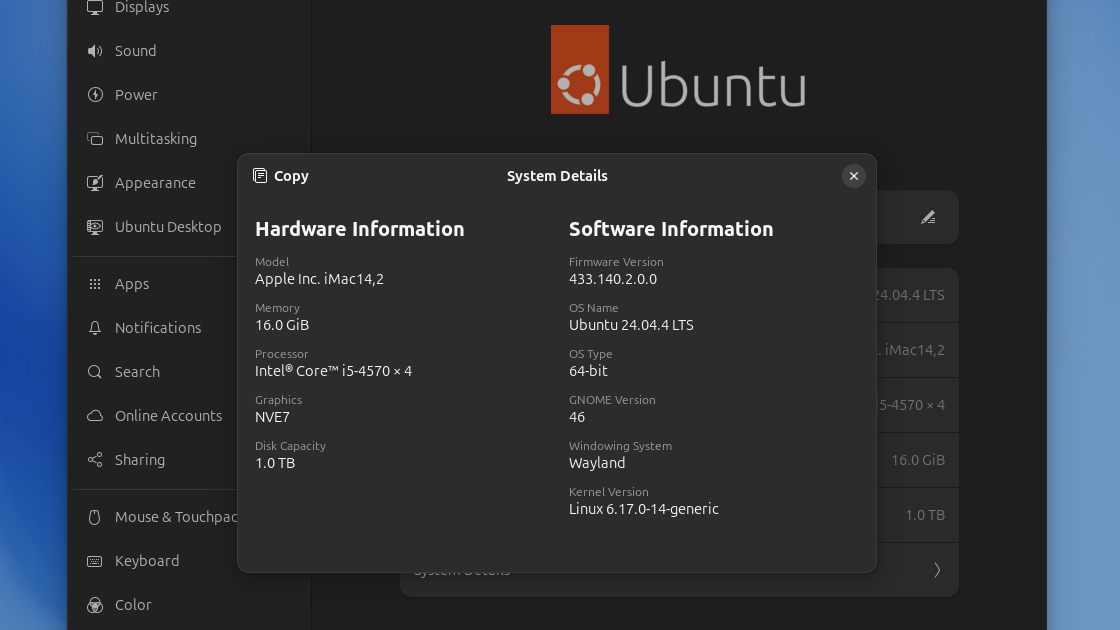
On both my iMac and my MacBook Air, the kernel has now been updated, and the problem with the kernel has been fixed. But panic (of the human, rather than kernel, variety) caused me to drag this issue out far longer than I should have. I'm making this post for my own benefit, so that I can see how the issue was resolved, and so that I have easy access to my machines' specs, just in case standard Ubuntu becomes something that either Mac can no longer run.
The first thing I did was to learn how to put the kernel update on hold, just so I could ruminate without the worry of an accidental* update. I followed the instructions from TecAdmin's How to Prevent Kernel Updates in Ubuntu, first to hold the kernel using sudo apt-mark hold and then to check what was being held using apt-mark showhold.
I then learned to update GRUB so that my single-boot Macs would give me a grub menu on every start or restart, and so that that menu would be visible long enough for me to actually use it. This was a precaution in case either machine tried to boot into a broken 6.17, but it's also a change that I'm keeping around.
I started with this command:
sudo nano /etc/default/grubThen edited the important bit so it looks like this:
GRUB_DEFAULT=0
GRUB_TIMEOUT_STYLE=menu
GRUB_TIMEOUT=9
GRUB_DISTRIBUTOR=`( . /etc/os-release; echo ${NAME:-Ubuntu} ) 2>/dev/null || echo Ubuntu`
GRUB_CMDLINE_LINUX_DEFAULT="quiet splash"
GRUB_CMDLINE_LINUX=""
(In case it isn't immediately clear, the changes were made in the 2nd and 3rd lines of this block. The value for GRUB_TIMEOUT_STYLE was changed from hidden to menu, and that for GRUB_TIMEOUT was changed from 0 to 9.)
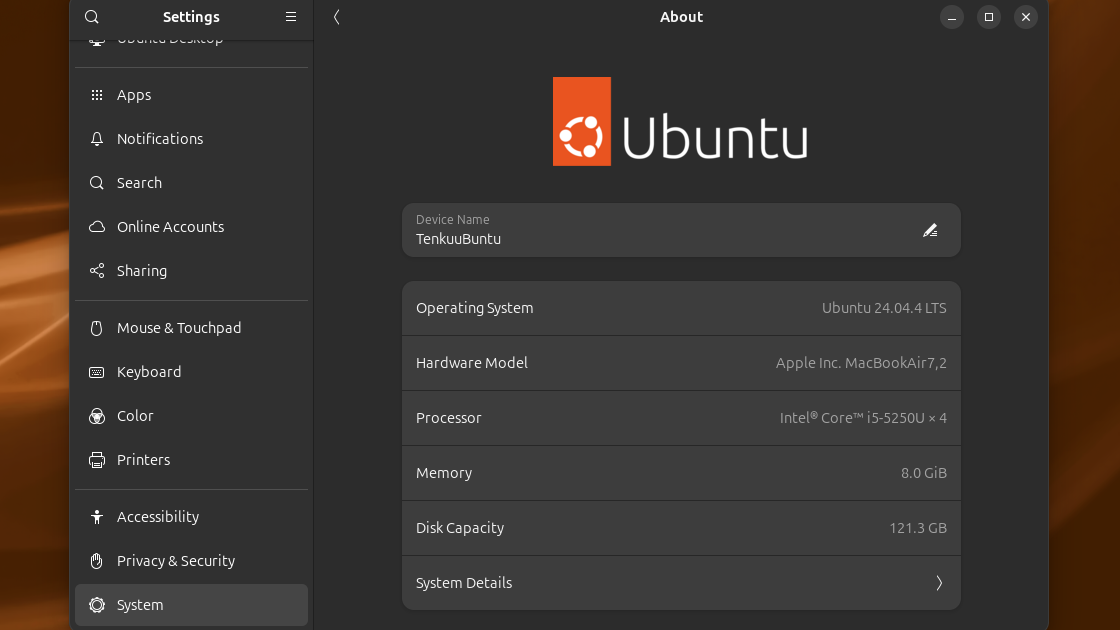
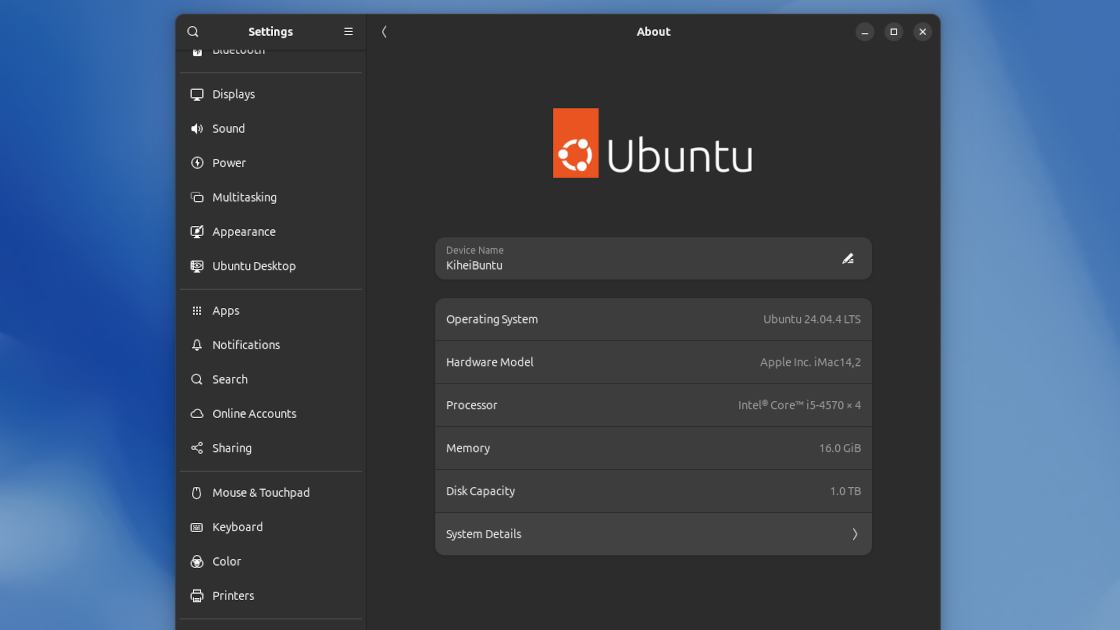
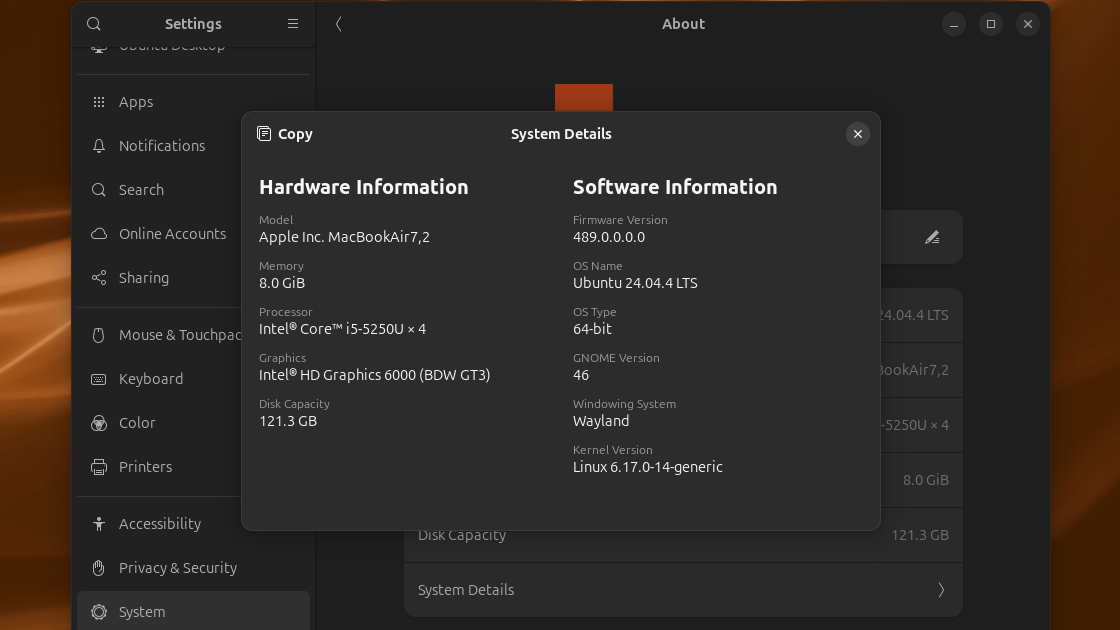
I spent some time looking at different distributions, just in case my Macs' love affair with Ubuntu was marching to its end. I spent a lot of time looking at the required specs of different distributions, and this drove home how much I missed the About This Mac option from MacOS's Apple Menu. My pining led me to Kiwi Menu, a GNOME shell extension that mimics the Apple Menu. Kiwi Menu's About This PC option opened the About screens seen in this post's images.
But I also realized that I should be able to find these specs even when I'm away from my machine(s), or when they won't boot. A public-facing blog post which includes these specs would make all of this information-finding really easy for me.
But back to that Linux core. I was sent into a panic by reddit, but steered toward the solution by reddit, too. It may not sound like it's answering the question, but the r/linux_on_mac post Linux Mint upgrade breaks broadcom WiFi driver quotes and links Kuan-Yi Li's Fixing broadcom-sta-dkms on Ubuntu 24.04 Noble Numbat, which fixed the kernel update problem on both of my old Macs.
I referenced TecAdmin's instructions again, this time using apt-mark showhold to verify what had been held, then using sudo apt-mark unhold to reverse those holds. I then updated via Software Updater rather than Terminal, just because that method felt less scary to me. I was patient when Software Updater threw an error, and I let it finish doing its thing. When it told me that the update had been unsuccessful, I followed Kuan-Yi Li's instructions.
I then restarted the Mac and ran uname -r to make sure each machine was running the new kernel before checking to make sure that everything was functioning properly.
I followed this up with a typical update via Terminal.
Despite all of this text there are really only two simple points to this post:
- Don't be afraid to try things in Ubuntu. Community support is easy to find for the OS, even for 13-year-old Macs.
- Know your specs. You just never know when you might be forced to decide if you can actually run that 40GB ISO as a replacement for the lightweight system you've just borked with your bravery.
And finally:
A Good Old Fashioned Table for Good Old Tabular Data:
| computer: | 2013 iMac ("Kihei") | 2015 MacBook Air ("Tenkuu") |
| model identifier: | iMac14,2 | MacBookAir7,2 |
| processor: | Intel® Core™ i5-4570 x 4 | Intel® Core™ i5-5250U x 4 |
| memory: | 16 GiB | 8.0 GiB |
| disk capacity: | 1.0 TB | 121.3 GB |
| graphics: | NVE7 | Intel® HD Graphics 6000 (BDW GT3) |
| firmware version | 433.140.2.0.0 | 489.0.0.0.0 |
Addendum 02-18-2026:
Kihei's graphics card is an NVIDIA GK107m GeForce GT755m Mac Edition rev a1 (which means that Kihei can't run Bluefin), and Tenkuu's is an Intel HD Graphics 6000 rev 09. You can check your graphics card in BASH via lspci | grep VGA.
Notes:
*It could happen.